Built for the way security companies actually work
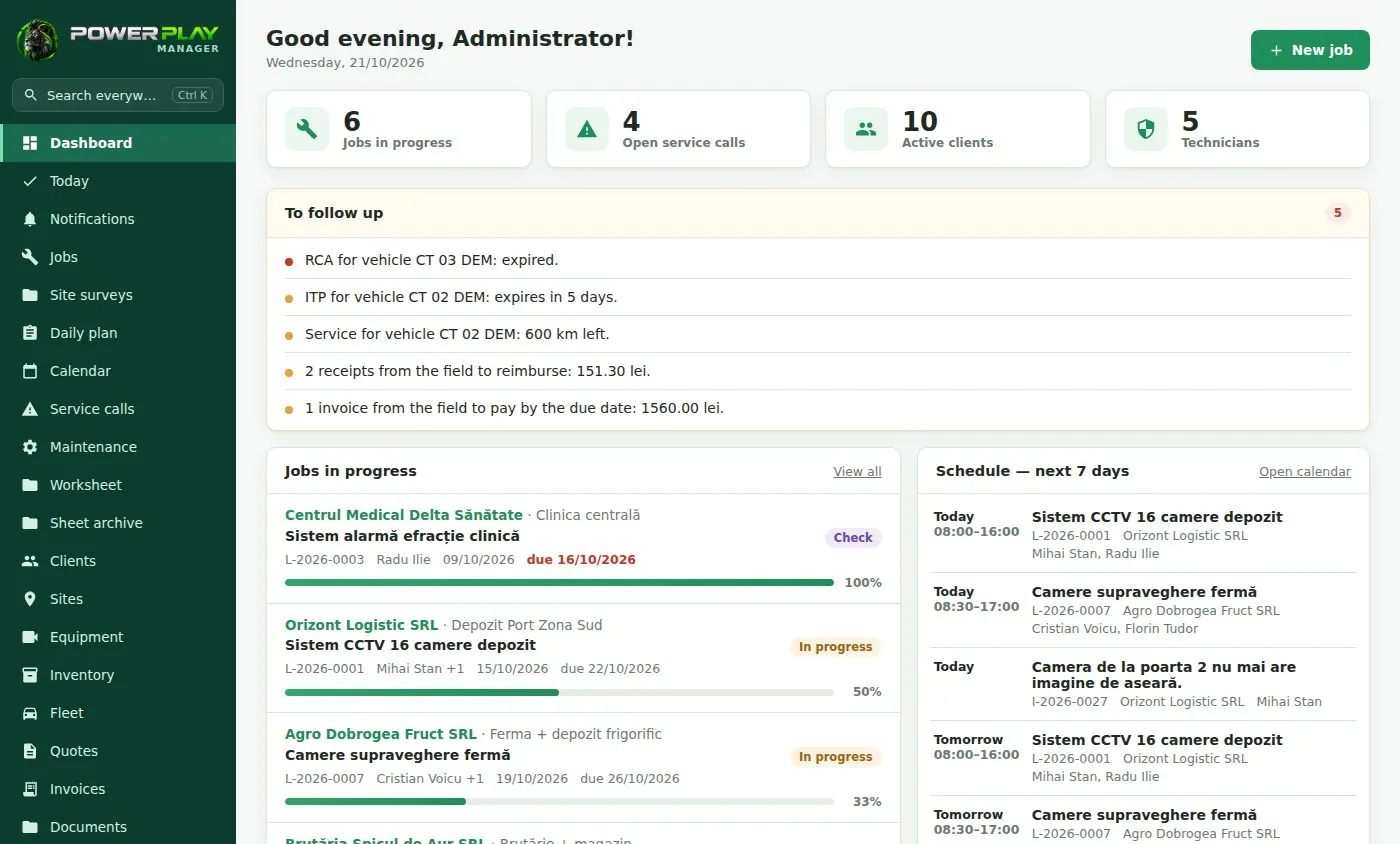
In most security companies, information is scattered: jobs live in a spreadsheet, the day's plan goes out in a WhatsApp group, and paper worksheets reach the office a week late. Power Play Manager puts it all in one web app that runs on your computer and on your phone.
During setup you pick the Security profile, and job types, maintenance checklists and equipment categories (cameras, DVR/NVR, alarm panels, card readers, intercoms) come pre-filled. You can change any of them to match how your company works.
- Customers and sites (every address where you have systems installed)
- Jobs in stages, with crew, photos, materials, tasks and history
- Calendar and a full activity log of who did what, and when
A daily plan for your install crews
Each morning you decide who goes where, in which vehicle, and who leads the crew. Every technician opens the "Today" screen on their phone and sees only their own jobs. You can see who has opened the plan and who hasn't.
If tomorrow looks like today, copy rows from another day. You can also share the plan as an image on WhatsApp.
Worksheets signed on the phone
When an install or service call is done, the technician fills in the worksheet on the phone and the customer signs on the screen. The app creates a PDF and emails it on the spot, and every worksheet is kept in a searchable archive.
Materials used or bought in the field, such as cable, connectors, power supplies and batteries, are logged in the app, including expenses to be reimbursed.
Maintenance contracts, service calls and installed equipment
If recurring maintenance is a big part of your business, add the optional modules you need and skip the rest.
- Maintenance contracts: visits scheduled automatically, with checklists and alerts before the due date
- Service calls: reported fault, response deadline, hours and parts, worksheet
- Installed equipment per site: serial number, IP address, warranty
- Site surveys before quoting: what the customer wants, measurements, photos
- Quotes on your letterhead, invoices, delivery notes and one-click monthly billing of contracts
- Tool inventory: who holds each tool, hand-overs with history, barcode scanning with the phone camera
Pricing and getting started
Plans start at €69 per month (excl. VAT) for Start, which includes 5 users. Choose a subscription hosted by us, with nothing to install and a 7-day free trial, or a one-time license installed on your company's own computer or server.
Try the demo first. Then we set up your logo, company details, team accounts and customers imported from Excel, run about two hours of online training, and your team works in the app from the next day. The app is available in English and Romanian, and each user picks their own language and date and number formats.
Frequently asked questions
Is this a good fit for a small CCTV and alarm company?
Yes. The Start plan includes 5 users and covers customers, jobs, the daily plan and signed worksheets. Modules like maintenance contracts or invoicing can be added later, only if you need them.
Can I keep a record of the equipment installed at each site?
Yes, with the installed equipment module. For each site you record cameras, the DVR/NVR, the alarm panel or card readers, with serial number, IP address and warranty. The technician on a service call sees what is installed there on their phone.
How do maintenance contracts work?
You enter the contract, and the app schedules the visits automatically and alerts you before they are due. On site, the technician works through the checklist and the customer signs the worksheet on the phone. Contracts can be billed monthly with one click.
Do my technicians need to install an app?
There is nothing to download from an app store. Power Play Manager is a web app that opens in the browser and can be added to the phone's home screen like an icon. Notifications arrive in the app, by email and as push notifications.
Can I try it before buying?
Yes. The demo at demo.powerplay.ro (user demo, password demo) uses made-up data, so you can click around freely and switch the interface to English. The hosted subscription also comes with a 7-day free trial.